


The NBC App - Stream TV Shows
4.249.09K Reviews
App Specs
- Version
- 9.25.3
- Updated On
- License
- Free
- Downloads
- 10,000,000+
- Developer
- NBCUniversal Media, LLC
- Categories
- Entertainment
- Platform
- Android, iOS
Screenshots
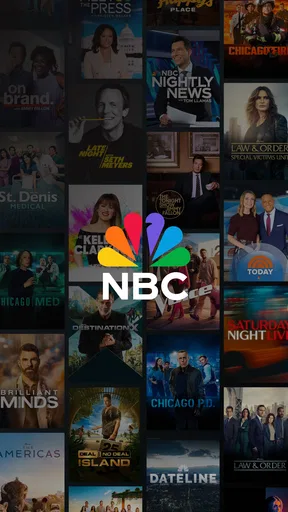
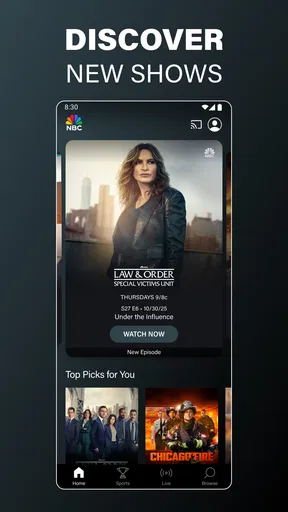
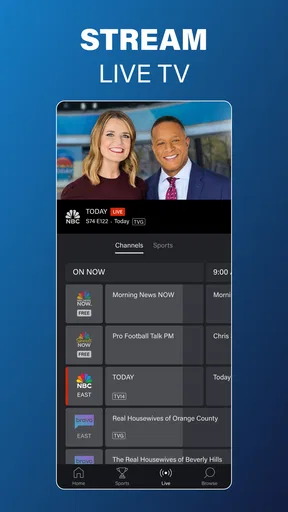
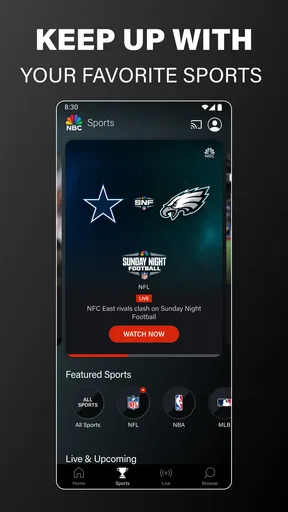
 Analysis by AppCompare
Have you ever found yourself craving some quality TV time but don’t want to be tied to your living room? Well, I’ve been there, and that’s when I stumbled upon The NBC App - Stream TV Shows. It’s like having a mini television in your pocket, minus the bulk and the cable subscription!
Before you install, decide what you want to watch
I’d start by asking a simple question: are you mainly looking for NBC programming, or do you want one service to gather shows from many networks? That distinction matters more than the app’s broad entertainment label. This is an NBCUniversal Media, LLC app, so its strongest reason to be on your phone is access to NBC-related viewing, not an all-purpose catalogue that replaces every other streaming service.
It’s free to install, which makes trying it a low-commitment choice, but “free” doesn’t mean every viewing experience will feel like an uninterrupted paid subscription. The app includes advertising, and access to particular programming can depend on the way you watch and the credentials available to you. I’d treat it as a useful companion for NBC fans rather than assume it is a complete substitute for a cable package or a paid, ad-light service.
The audience numbers suggest it has broad reach: it has more than ten million installs, an average rating of 4.2 from about 137,000 ratings, and roughly 49,000 written reviews. Those figures are reassuring as a sign that it is an established app, but they don’t tell me whether the shows I personally want are available at the moment I want them. I’d check the current programme selection before making it my main way to watch television.
Getting Started with The NBC App
Once I downloaded the app, the first thing that struck me was how straightforward the setup was. I mean, who has time for complicated sign-ups, right? You just need to create an account, or if you’re already in the NBC universe, log in with your existing credentials. Easy peasy!
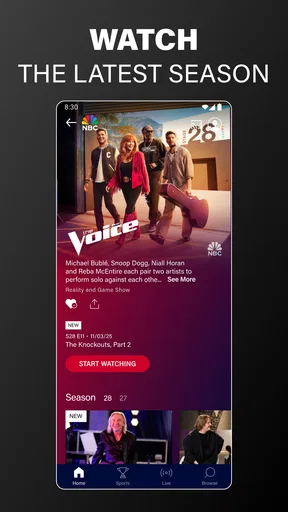
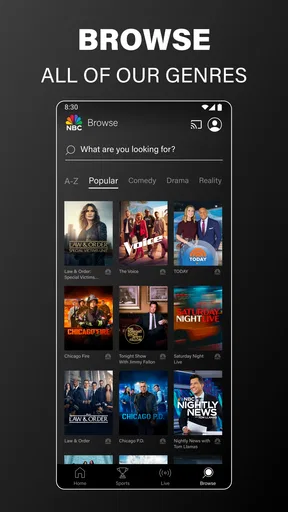
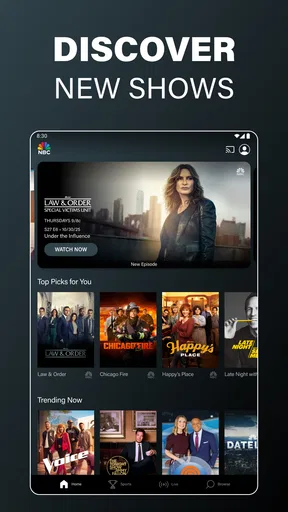
The interface is pretty intuitive. You’re greeted with a sleek design that makes navigation feel like a breeze. Whether you’re a tech whiz or just someone who enjoys watching TV, you’ll find your way around in no time. The home screen showcases a mix of current TV shows, live streams, and even some throwbacks, which I found pretty cool.
Diving into Features
One of the standout features of The NBC App is the variety of content available. From popular series like "This Is Us" to classics like "Friends," there’s a little something for everyone. And let’s not forget the live TV option. It’s perfect for those moments when you want to catch the latest episode as it airs. Just tap and stream—no fuss!
Worth Reading Before You Choose

EA SPORTS FC Mobile 26 Is a Bigger Football Game, but It Takes Time

Flipboard Shows What News Apps Must Do Beyond the Feed

Switching to Android Auto Means Rethinking Your Driving Routine

Google Calendar Makes a Crowded Week Easier to Manage

Ludo King Makes the Most of the Minutes Between Plans

Baby Panda World Brings Quick Play to Modern Phones, but Its Game Library Feels Busy
The live option is especially useful when I know there’s a particular broadcast I don’t want to miss. The store summary also points to live NFL games, so sports viewers have a reason to open the app beyond scripted shows. For a practical routine, I’d check what’s scheduled before leaving home, then decide whether it makes sense to watch on a phone or wait until I’m somewhere with a larger screen and a steadier connection. Live viewing is less forgiving than choosing an episode at leisure: if you join late, you may not be starting from the beginning, and a small-screen stream is not everyone’s ideal way to follow a game.
Another thing I noticed was the app’s seamless integration with Chromecast. I could easily project my favorite shows onto the TV screen, which came in handy during family movie nights. Oh, and did I mention the app also supports offline viewing? Yep, you can download episodes for those times when Wi-Fi is a no-go. Talk about convenience!
Choosing the right way to watch
Those viewing options make the app more flexible than simply watching a browser stream on a phone. Casting suits a shared evening at home, while downloads can help when you expect a patchy connection, such as a train journey or a wait between appointments. I’d use downloads selectively: save the specific episode I plan to watch rather than treating the app as a permanent library, and check that it is ready before setting off. That small bit of preparation avoids discovering mid-journey that a spotty signal has turned “offline viewing” into a streaming problem.
If you’re deciding between this and a broad subscription service, think about how you actually watch. A general streaming platform may be a better fit if your priority is browsing lots of studios in one place; this app makes more sense when NBC shows, live programming, or the named sports coverage are the draw. A network-focused app can also be a handy second screen in a household where people already use other services, rather than forcing everyone to switch their whole viewing routine.
It is also worth separating “I can open the app” from “I can watch everything I want right now.” Depending on the programme and viewing route, you may be asked to sign in or encounter access limits. I would keep the account details I normally use for TV services nearby during setup, and check an episode’s availability before planning a watch party around it. That is a more reliable approach than assuming every title works identically just because it appears in the same entertainment app.
User Experience and Performance
Now, let’s talk performance. I’ve used apps that promise the world and deliver buffering nightmares. Thankfully, The NBC App isn’t one of them. Streaming quality was consistently solid, whether I was on mobile data or Wi-Fi. The video quality adjusts based on your connection speed, ensuring a smooth viewing experience.
For everyday use, I’d still choose Wi-Fi for long episodes whenever it’s convenient. Watching over mobile data can be useful during a commute or while waiting somewhere, but it makes sense to keep an eye on your plan and connection rather than assume every stream will be equally comfortable. If playback stutters, switching networks or moving to a stronger signal is a sensible first test; there is little benefit in repeatedly restarting an episode when the underlying connection is the issue.
My most realistic use case is a busy evening when I have a short break before dinner: I can check for a current episode, watch a portion on my phone, and cast to the television later if I want to share it. For a live game, I’d make the opposite choice and settle in with the larger screen from the start. The app’s value is not that every setting is perfect for every moment, but that its mix of on-demand, live, casting, and offline options can fit different routines.
I did notice that the app occasionally prompts you to watch ads, but hey, that’s the price you pay for free content. It’s not overly intrusive, and in a way, it adds to the traditional TV feel. Plus, the ads are often short, so it’s not a dealbreaker for me.
Still, advertising changes the rhythm of a show, and that can matter if you mostly watch in brief gaps or prefer uninterrupted viewing. If ads are a firm deal-breaker, I’d compare the available viewing choices before committing to this as my regular setup. The app is most appealing when its free access and NBC-focused selection outweigh those pauses; someone who values a broad, ad-free catalogue above all else may be happier with a different kind of service.
Where alternatives may fit better
There are three practical alternatives to consider, depending on the job you need done. A general subscription streamer is usually the more natural choice for someone who wants a wide mix of unrelated programmes and a single browsing destination. A live-TV service may suit a viewer whose priority is a broad channel lineup and a familiar schedule. And a network’s own app is often the better match when the viewer already knows which broadcaster’s shows they follow. I’d place this app in that last group: its appeal is focused, and that focus is an advantage only if it matches your habits.
There’s also a convenience trade-off between installing several network apps and relying on one general service. Separate apps can make it easier to go directly to a broadcaster’s own programming, but they can divide watchlists, logins, and viewing routines across different places. If you only watch NBC occasionally, using this alongside your usual service is reasonable; if you want one central home for everything, adding another app may feel like needless housekeeping.
Families should consider the Teen content rating when deciding whether the app suits a shared device. I’d take a moment to think about who uses the phone or tablet and what they are likely to browse, rather than assuming that an entertainment app is automatically appropriate for every age. That is a simple household decision, but it can matter more than the interface or the number of available shows.
What to expect from setup and switching
For someone moving from a television or browser to a phone, the main adjustment is choosing the right screen for the moment. A phone is excellent for a quick episode while travelling or waiting, but it is less comfortable for a long family viewing session; casting helps bridge that gap when you have a compatible setup. I’d try one short viewing session first, including a cast if that is how I expect to use it, before relying on the app for an important live event.
The app is free and its current version is 9.25.3, with Android 7.0 as the minimum operating system requirement. It has been available since September 23, 2013, so it is not a brand-new experiment, and that history is useful context for anyone wary of trying an unfamiliar network app. I would still check that my device is compatible and that the app is current before troubleshooting playback; an outdated installation can make a simple problem harder to diagnose.
Switching does not need to mean deleting your other viewing apps. I’d keep the services that cover the shows I watch elsewhere and use this when NBC programming or live coverage is the specific reason to tune in. If I stop opening it after checking the titles I care about, removing it is an easy decision; if it becomes part of my regular routine, then its place on the home screen is justified. That is a more useful test than installing it because a friend happens to recommend it.
Is It Worth It?
If you’re a fan of NBC’s lineup or just love having a variety of shows at your fingertips, then this app is definitely worth checking out. It’s like having a portable entertainment hub that you can access anytime, anywhere. Whether you’re commuting, traveling, or just chilling at home, The NBC App has got you covered.
My recommendation is clear: try it if you want NBC-focused entertainment, live viewing, or a way to carry an episode with you, and judge it by the programmes you actually watch. I would not choose it as my only streaming option if my tastes were spread across many networks, if uninterrupted playback were essential, or if I wanted every viewing choice consolidated in one place. For a free app in the entertainment category, the balance is appealing when its specific content fits your routine. Its Teen rating is worth keeping in mind for younger users, and the developer, NBCUniversal Media, LLC, gives a clear indication of the programming focus.
So, if you’re itching for some quality TV time on your own schedule, give this app a whirl. It’s a nifty companion for any TV lover out there. Trust me, once you start using it, you’ll wonder how you ever got by without it!
Pros
- Wide selection of popular shows.
- User-friendly interface for easy navigation.
- High-quality streaming with minimal buffering.
- Exclusive access to NBC live events.
- Download feature for offline viewing.
Cons
- Requires cable login for full access.
- Ads can be frequent and interruptive.
- Some shows unavailable due to licensing.
- Limited content for international users.
- App can occasionally crash or freeze.
FAQs for The NBC App - Stream TV Shows
What content is available on The NBC App?
The NBC App offers a wide variety of content, including popular TV shows, live news, and sports events. You can stream classic series, new episodes, and NBC's hit shows. Some content might require a cable subscription login, so be sure to check if your favorite shows are available for free.
Can I watch live TV on The NBC App?
Yes, The NBC App allows you to stream live TV, including local news and sports events. However, access to live TV may require a cable provider login. Availability can vary based on your location and the agreements NBC has with local affiliates.
Is The NBC App free to use?
The NBC App is free to download, and it offers a variety of content at no cost. However, some premium content and live TV features may require a cable provider login. There might also be ads during streaming, which is common for free content on similar platforms.
Which devices are compatible with The NBC App?
The NBC App is compatible with a wide range of devices, including Android and iOS smartphones and tablets, as well as streaming devices like Roku, Apple TV, and Amazon Fire TV. Ensure your device's operating system is up to date for the best experience.
How can I resolve streaming issues on The NBC App?
If you're experiencing streaming issues, try checking your internet connection, restarting the app, or updating it to the latest version. Clearing the app cache or reinstalling the app can also help. If problems persist, consult the NBC App’s support page for further assistance.


